Account Documentation – DICE
Dealer Interactive Claim Exceptions

You may have a few questions about your account and DICE. We have made it as simple as possible. If you’re looking to log in and access your dealership, you’re in the right place!
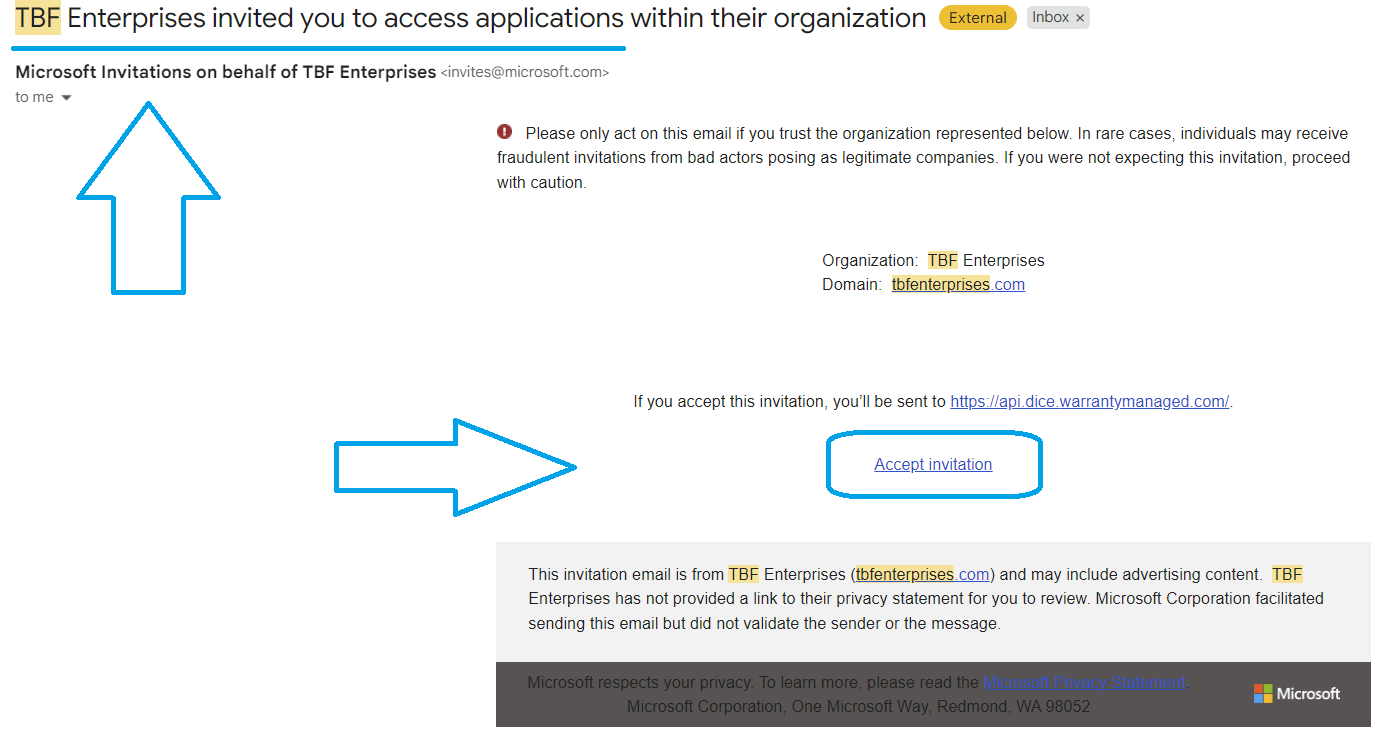
If you have never logged in to DICE before, you must first accept the invite email from TBF Enterprises.
Most issues are actually caused by the invite not being accepted yet.
Look for an email with this text
“TBF Enterprises invited you to access applications within their organization”
- Still can’t find it? Check your Spam/Junk folder.
- Use the link in the email to accept the invite.
- After accepting, sign in using your Microsoft credentials.
You can’t access that inbox
If the invite went to the wrong email (or you can’t access that inbox / find the email)
- We may need to update your email address and resend the invite.
- Submit a request and include your full name, dealership, and the correct email address.
Having Trouble With The Sign In Portal / Login Help?
How DICE login works (important)
DICE does NOT create or manage passwords.
All login credentials are managed through your dealership’s IT Department. That means your DICE login uses the same account as your dealership email address (for example, [email protected]).
If you cannot log in after accepting the invite, you will need to contact your IT Department.
You will either receive a one-time passcode via email or use the same password you use for your email to sign in to DICE.
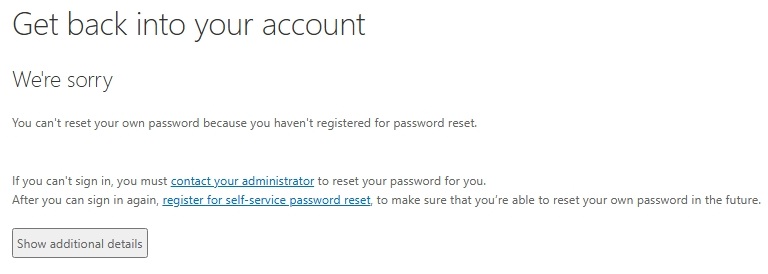
- If you see “Contact your administrator”:
Your dealership’s IT team controls password resets and must reset/unlock your Microsoft account.
– You might not have accepted the invitation to DICE, or
– Your IT team or department may need to reset your password. - If you can log in but can’t see your dealership: go to Dealership / Dealer Code Access.
Common messages & what they mean
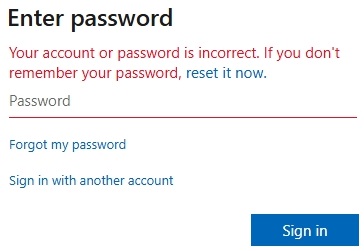
- “Incorrect password” → Your Microsoft/dealership email password is incorrect or your account is locked.
- “You can’t reset your own password… contact your administrator” → Your dealership IT has password reset locked down.
- Security key / passkey prompt → Your dealership’s Microsoft setup requires a security key/passkey. IT must assist.
- “Something went wrong” during password reset → Usually, an IT policy/configuration issue in your organization.
Add / Remove / Update DICE Users
Use this for staff changes (new hires, role changes, terminated employees, etc.).
Dealership / Dealer Code Access
If you can log in successfully but do not see your dealership, rooftop, or dealer code in DICE,
this is a permissions/access issue.
- “Please add dealership / dealer code to Bill Brown (Dealership Tyler’s Toyota’s: SC0489)”
Submit a Request
Choose the form that best matches your issue so we can route it quickly.
If possible, include screenshots of the exact screen you’re stuck on.